MD Editor
Powerful Markdown editor
MD Editor
Powerful Markdown editor
About
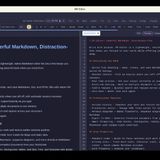
MD Editor is a native Markdown editing application developed by MK1GROUP for the Windows and Linux operating systems. Its primary function is to provide a lightweight writing environment that supports Markdown syntax, allowing users to create and edit documents with a focus on text content. The application is available as a free download from GitHub, offering a full-featured 7-day trial, after which a one-time license purchase is required for continued use. The editor includes a range of features for document management and writing assistance. Users can open, create, and save files in Markdown, text, and HTML formats using native operating system dialogs. The application supports multi-tab editing, session restore with automatic recovery, and an auto-save function to prevent data loss. A real-time preview displays HTML output as the user types. Additional tools include a find and replace function, version history for restoring earlier document snapshots, and a frontmatter editor for managing YAML metadata in blogs or static sites. For content creation, MD Editor offers smart formatting for code blocks, blockquotes, tables, task lists, links, and footnotes, as well as support for embedding Mermaid diagrams. Export capabilities include generating DOCX files from Markdown content. Productivity features consist of a Pomodoro timer with work logs, writing statistics tracking word count and reading time, a linter for identifying common Markdown errors, and a word frequency analysis tool. Typical use cases for MD Editor include writing and editing technical documentation, blog posts, and other text-based content that benefits from Markdown formatting. The workflow generally involves opening or creating a file, writing in the editor with real-time preview, and using the available tools for formatting, organization, and productivity. The application is designed for writers, developers, and users who require a focused writing environment with access to advanced features when needed. The application supports both dark and light themes for user preference.















