Screen Seed UI
Create UI with Drag & Drop - 4 MSVS
Screen Seed UI
Create UI with Drag & Drop - 4 MSVS
About
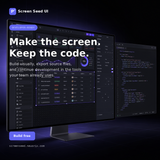
Screen Seed UI is a web based tool designed for creating user interfaces for software applications. Its primary function is to allow users to design a UI visually, then export the resulting files for direct integration into a development project. The tool is intended to streamline the process of building custom interfaces, particularly for use with Microsoft Visual Studio Code and AI coding assistants like GitHub Copilot. The core workflow involves three main steps. First, users design their user interface within the Screen Seed UI platform. Second, they export the generated files from the tool. Third, these files are imported into the user's project, where an AI assistant like Copilot can be instructed to update the application's UI based on the exported design. The tool presents itself as a fully automatic solution, requiring minimal manual coding to implement the new interface. The website includes standard account management pages, such as Login, Register, Forgot Password, and Reset Password. It also provides standard legal and policy pages, including a Privacy Policy, Terms of Service, Accessibility Statement, and Cookie Policy. The tool is hosted at the domain screenseed.neuorix.com and is presented as a straightforward method for developers to generate clean, custom UIs for their applications.















